Create a team and add members
Written By Talia Livio
Last updated 9 months ago
The Climeet Team module allows multiple people to collaborate on events and divide responsibilities among different members. From the "My Team" section, an administrator can manage existing members and invite new collaborators to join the workspace.
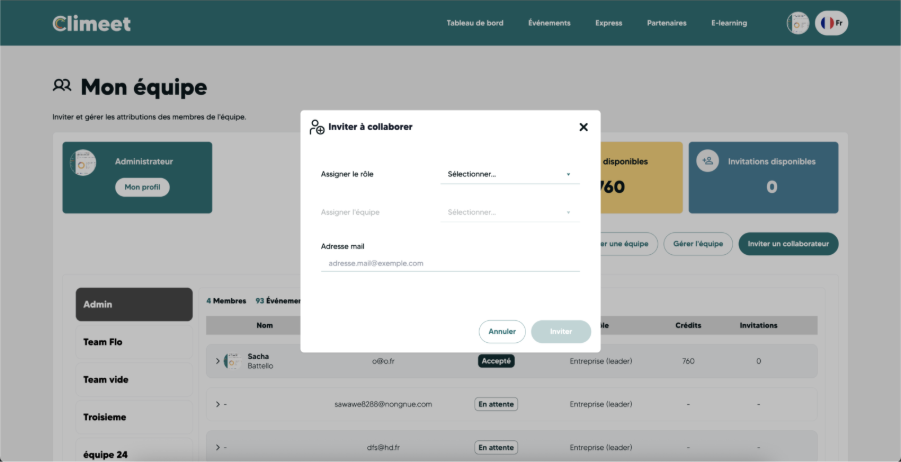
The process begins when the administrator clicks on the "Invite a collaborator" button. A window then opens to enter the essential information: the collaborator's role, the team they will be attached to, and their email address. Once these details have been completed, the invitation is sent.
The collaborator receives an email informing them that they have been invited to join a team on Climeet. If they do not yet have an account, they are guided through the process of creating one. If they already have an account, they can accept the invitation directly. Once this step is complete, they can access the team space and the events associated with it.
On the administrator's side, the employee initially appears with a "Pending" status until the invitation has been accepted. This status changes to "Accepted" as soon as the employee actually joins the team. From that moment on, they can view or modify the items authorized according to the role assigned to them.
Was this helpful?
Still need help? Share an idea